Debug faster
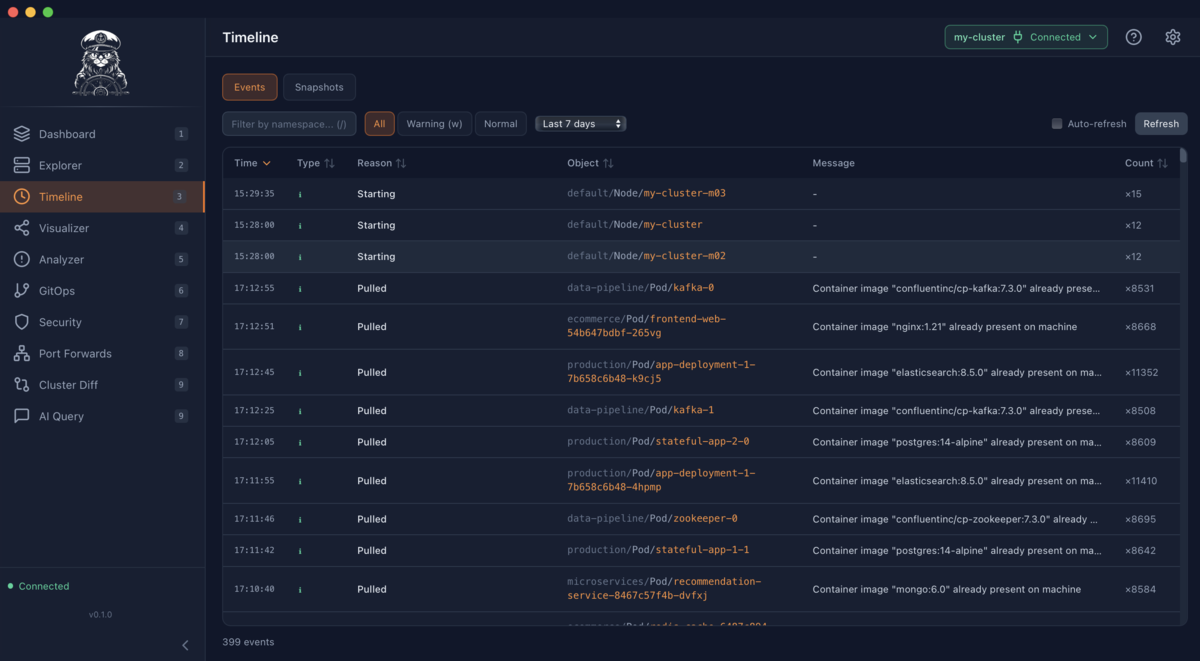
Timeline + snapshots help you answer “what changed?” quickly during incidents.
Insights, not just metadata
Explore resources, stream logs, analyze problems, and understand “what changed” with timelines and snapshots — in a fast, native desktop GUI.
Downloads the latest macOS release from GitHub.
Kubernetes isn’t hard because of commands — it’s hard because context is fragmented. Kubecat pulls the signals you need into one place.
Timeline + snapshots help you answer “what changed?” quickly during incidents.
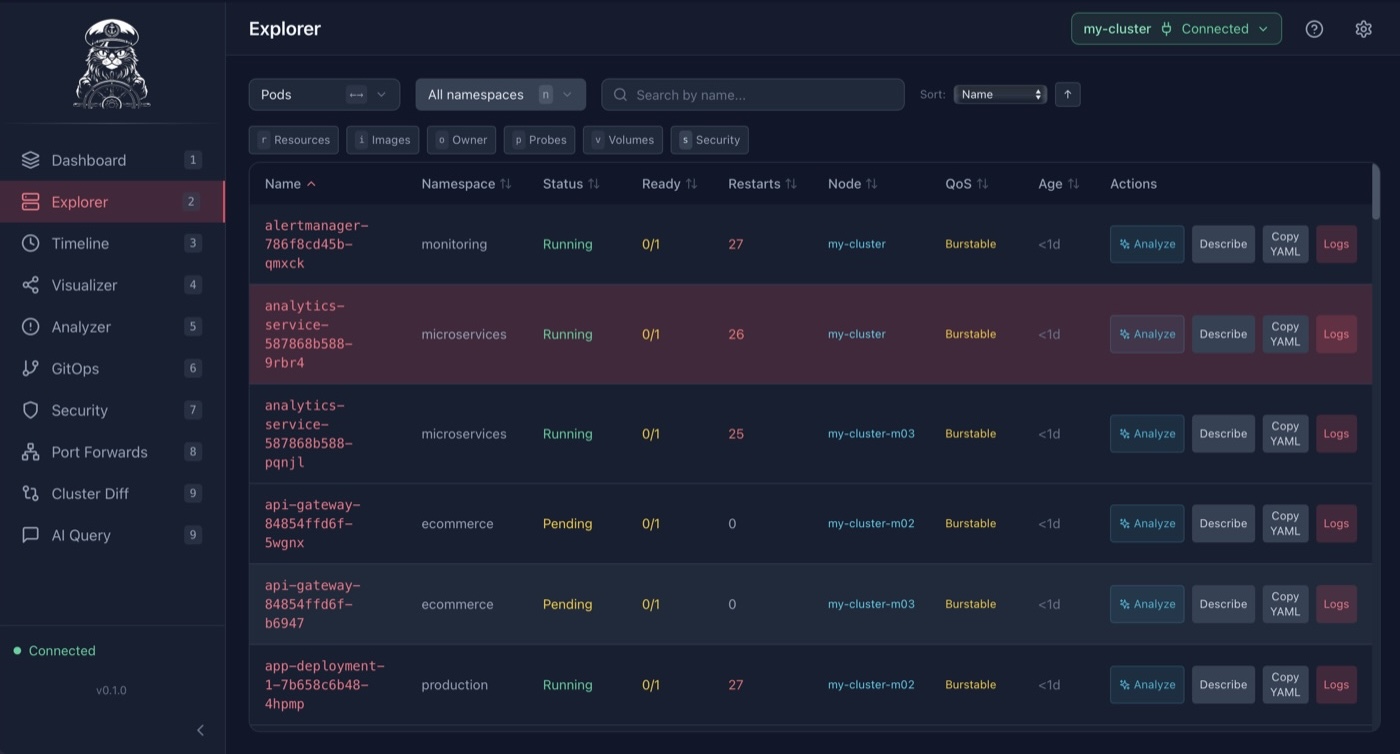
Explore resources with rich metadata, filters, and quick actions.
Runs on your machine. Your kubeconfig stays yours. No required SaaS hop.
Built for skeptical operators: Kubecat’s AI helps you ask better questions and get faster answers — and links every claim back to the evidence in your cluster.
No “trust me” answers — just fast navigation through events, logs, YAML, and diffs.
A desktop GUI for Kubernetes that goes beyond “kubectl, but with buttons”.
Browse common resources with powerful filtering, rich columns, and YAML access.
Stream pod/container logs with search and multi-pod aggregation where it matters.
Incident-friendly event history, snapshots, and diffs to understand changes.
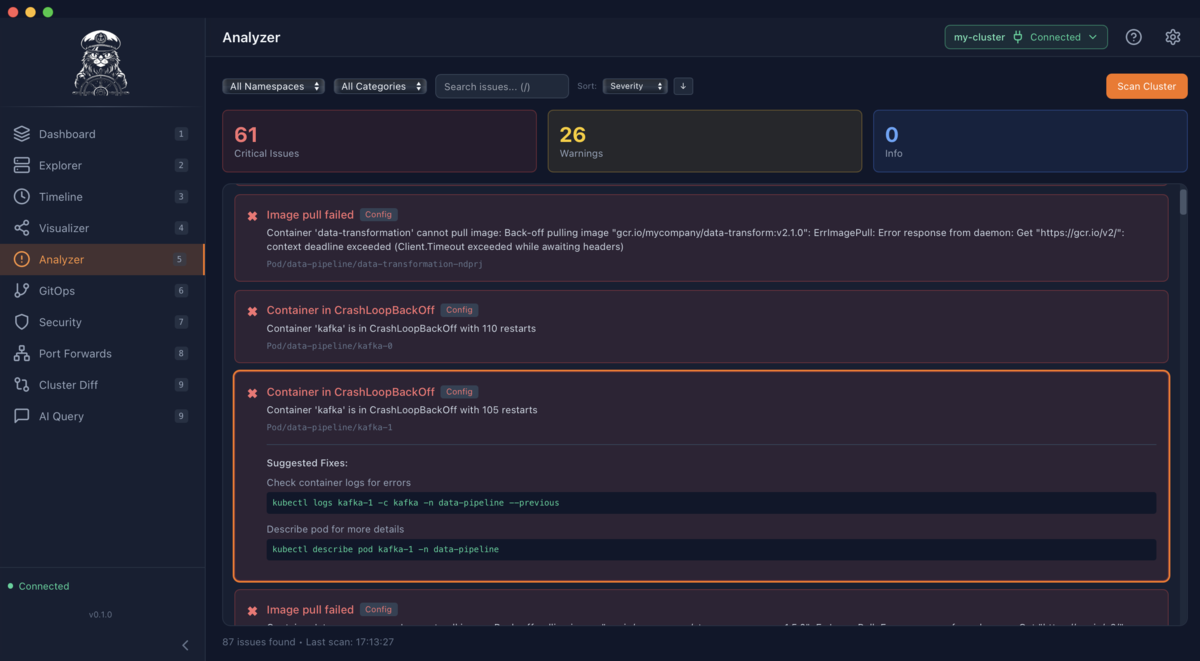
Scan for issues across health, ownership, and security, with clear severity.
Visibility into Flux and ArgoCD resources with status, health, and sync signals.
Understand permissions, dangerous access, and risky pod specs at a glance.
Kubernetes isn’t hard because of commands — it’s hard because context is fragmented. Kubecat pulls the signals you need into one place.
Use your existing kubeconfig and contexts. Kubecat speaks Kubernetes natively.
Navigate resources, stream logs, run quick actions, and keep focus with shortcuts.
Use timeline + snapshots to correlate events and diffs during incidents.
Get the latest release from GitHub.
brew tap thepixelabs/kubecat
brew install kubecat
Cannot open Kubecat?
Go to
System Settings > Privacy & Security and
click "Open Anyway".